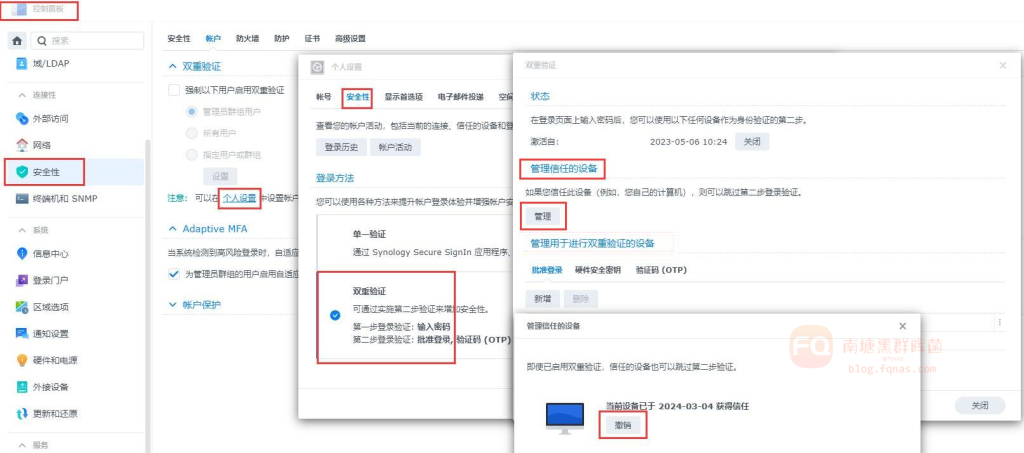
群晖如何撤销已信任的设备解决方法 Post author:南塘菌 Post published:2024年 3月 5日 Post category:使用攻略 Post comments:0评论 具体设置方法如下:控制面板→安全性→个人设置→安全性→双重验证→管理信任的设备→管理→针对获得信任的设备→选择撤销即可。 你可能也喜欢 群晖支持wifi网卡版本查询 2025年 10月 30日 如何添加套件源 2024年 2月 18日 DSM7.2.2安装Video Station 2025年 10月 30日 发表回复 取消回复CommentEnter your name or username to comment Enter your email address to comment Enter your website URL (optional) 在此浏览器中保存我的显示名称、邮箱地址和网站地址,以便下次评论时使用。